
Nothing yet for that. Try a template number, or email customerservice@dashleigh.com.
- Template #8380Wine Bottle Labels4 x 5 in.
- Template #8381Beer Bottle Labels3 x 4 in.
- Template #8383Roller Bottle Labels2.125 x 1.6875 in.
- Template #8384Essential Oil Labels3 x 1 in.
- Template #8385Small Bottle Labels4 x 1.5 in.
- Template #8386Mini Liquor Bottle Labels3 x 1.5 in.
- Template #8387Lip Balm Labels with Safety Seal2 x 2.15 in.
- Template #8388Water Bottle Labels7 x 2 in.
- Template #838910 ml Bottle Labels2.375 x 1.25 in.
- Template #83901 oz Jar Labels5 x 1 in.
- Template #83912 oz Bottle Labels4 x 1.75 in.
- Template #8392Candy Buffet Labels3 x 2.125 in.
- Template #83934 oz Bottle Labels5 x 2.5 in.
- Template #83942 oz Jar Labels3.4 x 0.93 in.
- Template #83954 oz Jar Labels1.75 x 2.75 in.
- Template #83978 oz Jar Labels3 x 2 in.
- Template #839816 oz Bottle Labels8 x 3.5 in.
- Template #8399Small Freezer Labels2 x 1 in.
- Template #8400Medium Freezer Labels3 x 1.8 in.
- Template #8401Mini Candy Bar Labels2.5 x 1.563 in.
- Template #8402Chocolate Bar Labels5.3 x 5.25 in.
- Template #8403Gram Jar Labels0.875 in. round
- Template #8406Dog Bone Labels2.4 x 1.1 in.
- Template #8407Hang Tag Labels1.75 x 3 in.
- Template #8410Beer Labels with Neck Label3.5 x 3 in.
- Template #8411Full Wrap Beer Labels7 x 3 in.
- Template #8413Oval Labels3.94 x 1.93 in.
- Template #8416Wide Mouth Lid Labels2.5 in. round
- Template #84184 oz Wide Jar Wrap Labels9 x 0.9375 in.
- Template #8419Long Flag Labels7.5 x 1 in.
- Template #8420Jar Seal Labels5 x 0.5 in.
- Template #842115 ml Bottle Labels2.5 x 1.25 in.
- Template #8422Water Bottle Labels8 x 2 in.
- Template #8423Round Labels1.5 in. round
- Template #8424Round Labels2 in. round
- Template #8426Square Labels1.5 x 1.5 in.
- Template #8427Square Labels2 x 2 in.
- Template #8428Square Labels2.5 x 2.5 in.
- Template #8429Square Labels3 x 3 in.
- Template #8430Medium Rectangle Soap Labels3.25 x 2.25 in.
- Template #8431Small Rectangle Soap Labels2.5 x 1.75 in.
- Template #8432Medium Square Soap Labels3.15 x 3.15 in.
- Template #8433Small Square Soap Labels2.25 x 2.25 in.
- Template #8434Round Favor Labels1 in. round
- Template #8435Round Favor Labels1.5 in. round
- Template #8436Round Favor Labels2 in. round
- Template #8437Square Labels2.25 x 2.25 in.
- Template #8439Mint Tin Labels3.75 x 1.43 in.
- Template #8440Chocolate Kiss Labels0.75 in. round
- Template #8441Small Spice Jar Labels1.5 x 1 in.
- Template #8442Small Cosmetic Labels2.25 x 1.5 in.
- Template #8443Square Labels1.25 x 1.25 in.
- Template #84455 ml Labels2.6 x 0.75 in.
- Template #844615 ml Labels3.25 x 1.5 in.
- Template #8447100 ml Labels4 x 2 in.
- Template #HT 1200Domed Rectangle Hang Tags2.375 x 4.25 in.
- Template #HT 1202Oval Hang Tags1.75 x 2.75 in.
- Template #HT 1203Print and Fold Hang Tags3.5 x 2 in.
- Template #HT 1204Square Hang Tags2 x 2 in.
- Template #HT 1205Rectangle Hang Tags3 x 1.25 in.
- Template #HT 1206Circle Hang Tags2 in. round
- Free designAromatherapy Roller Bottle LabelsOpens in Canva
- Free designBaby Shower - Pink Boho FloralOpens in Canva
- Free designBaby Shower - Pink Elephant FloralOpens in Canva
- Free designBaby Shower - Tropical Blue Oh BabyOpens in Canva
- Free designBeer - Wooden Barrel Pale AleOpens in Canva
- Free designBeige Floral Cosmetic DesignOpens in Canva
- Free designBeige Floral Lip Balm LabelsOpens in Canva
- Free designBeige & Green Cosmetic DesignsOpens in Canva
- Free designBeige & Green Lip Balm LabelsOpens in Canva
- Free designBeige Neutral DesignOpens in Canva
- Free designBirthday - Abstract DotsOpens in Canva
- Free designBirthday - Abstract Dots CakeOpens in Canva
- Free designBirthday - Blue Flag CakeOpens in Canva
- Free designBirthday - Bohemian FlowersOpens in Canva
- Free designBotanical Lip Balm LabelsOpens in Canva
- Free designBotanical Roller Bottle LabelsOpens in Canva
- Free designBottle - Grey and White MinimalOpens in Canva
- Free designBridal Shower - Luxury FloralOpens in Canva
- Free designBridal Shower - Pastel Boho OrchidOpens in Canva
- Free designCandle - Bee Rustic Honey (2 x 2 in.)Opens in Canva
- Free designCandle - Bee Rustic Honey (3 x 3 in.)Opens in Canva
- Free designCandle - Beige Minimalist Tobacco VanillaOpens in Canva
- Free designCandle - Boho Rustic Minimal (2 x 2 in.)Opens in Canva
- Free designCandle - Boho Rustic Minimal (3 x 3 in.)Opens in Canva
- Free designCandle - Botanical Minimal (2 x 2 in.)Opens in Canva
- Free designCandle - Botanical Minimal (3 x 3 in.)Opens in Canva
- Free designCandle - Brown Modern Minimal (2 x 2 in.)Opens in Canva
- Free designCandle - Brown Modern Minimal (3 x 3 in.)Opens in Canva
- Free designCandle - Gold Ivory Minimal (2 x 2 in.)Opens in Canva
- Free designCandle - Gold Ivory Minimal (3 x 3 in.)Opens in Canva
- Free designCandle - Minimal Elegant (2 x 2 in.)Opens in Canva
- Free designCandle - Minimal Elegant (3 x 3 in.)Opens in Canva
- Free designCelestial Roller Bottle LabelsOpens in Canva
- Free designChristmas - Blue Foliage RejoiceOpens in Canva
- Free designChristmas - Gold MinimalOpens in Canva
- Free designChristmas - Happy Holidays WreathOpens in Canva
- Free designChristmas - Poinsettia Merry ChristmasOpens in Canva
- Free designChristmas - Red Happy Holidays OrnamentsOpens in Canva
- Free designChristmas - Retro OrnamentsOpens in Canva
- Free designChristmas - Snowman Merry ChristmasOpens in Canva
- Free designChristmas - White Green ModernOpens in Canva
- Free designCompany Holiday Party - Navy and GoldOpens in Canva
- Free designEmployee Appreciation - Thank YouOpens in Canva
- Free designEssential Oil - Color Coded GreenOpens in Canva
- Free designEssential Oil - Minimalist Rose HipOpens in Canva
- Free designEssential Oil - Modern and Soft Sea SaltOpens in Canva
- Free designEssential Oil - Vintage Apothecary OliveOpens in Canva
- Free designGreen Botanical DesignOpens in Canva
- Free designHang Tag - Christmas Gift Tag, HollyOpens in Canva
- Free designHang Tag - Product Tag, Minimal HandmadeOpens in Canva
- Free designHang Tag - Wedding Favor Tag, Blush FloralOpens in Canva
- Free designHot Sauce - Bold and FieryOpens in Canva
- Free designLight Floral Design FamilyOpens in Canva
- Free designLight Minimal DesignOpens in Canva
- Free designLip Balm - Pink Floral English RoseOpens in Canva
- Free designLotion - Apothecary Starter KitOpens in Canva
- Free designLotion - Luxury Line Art Hand and BodyOpens in Canva
- Free designLotion - Minimal Black and WhiteOpens in Canva
- Free designMinimal Elegant Design FamilyOpens in Canva
- Free designMinimal Roller Bottle LabelsOpens in Canva
- Free designPantry - Minimal Black and White Large SquareOpens in Canva
- Free designPantry - Minimal Black and White SquareOpens in Canva
- Free designPantry - Minimal Black and White Tall JarOpens in Canva
- Free designPantry - Minimal Black CanisterOpens in Canva
- Free designPantry - Minimalist ScriptOpens in Canva
- Free designPantry - Vintage Apothecary JarOpens in Canva
- Free designPantry - Warm Neutral Script JarOpens in Canva
- Free designPantry - Warm Neutral Script Tall JarOpens in Canva
- Free designPastel Green Design FamilyOpens in Canva
- Free designPerfume - Dark ElegantOpens in Canva
- Free designRoller Bottle - Modern and Soft PinkOpens in Canva
- Free designRoses Design FamilyOpens in Canva
- Free designRound Tag - Happy Holidays Gift Tag, WreathOpens in Canva
- Free designRound Tag - Thank You for Your Order, Sage ModernOpens in Canva
- Free designScrub Jar - Fun Fruity HibiscusOpens in Canva
- Free designSoap - Luxury Spa Olive OilOpens in Canva
- Free designSoap - Vintage Rose HipOpens in Canva
- Free designSpice - Vintage Apothecary KraftOpens in Canva
- Free designSpice - Vintage Apothecary Large SquareOpens in Canva
- Free designSpice - Vintage Apothecary Tall JarOpens in Canva
- Free designSpice - Warm Neutral ScriptOpens in Canva
- Free designSpice - Warm Neutral Script Large SquareOpens in Canva
- Free designWine - Floral Border WeddingOpens in Canva
- Free designWine MonogramOpens in Canva
- Free designWine - Thank You for AttendingOpens in Canva
- HelpUsing Custom Colors in Microsoft Word, both RBG and Hex ValuesMicrosoft Word · Tips and Tricks
- HelpCandle Warning Labels: What to Include and How to Fit ItDesigning · For Business
- HelpUsing Photos on Labels: How to Get a Sharp PrintCanva · Designing
- HelpFonts That Read Well on Small Labels (and the Sizes to Use)Canva · Designing
- HelpHow to Print Batch Numbers, Dates and Product Variations Without RedesigningDesigning · For Business · Microsoft Word
- HelpWhat to Put on a Product Label: A Checklist for Small BusinessesDesigning · For Business
- HelpHow to Print Barcodes and QR Codes on Sheet LabelsCanva · Designing · For Business
- HelpDesigning for Clear, Kraft and Colored Labels: What Prints and What DisappearsCanva · Designing
- HelpHow to Apply Labels Straight, Without BubblesApplying
- HelpHow to Make Home-Printed Labels Look ProfessionalDesigning · For Business
- HelpFront and Back Labels: How to Split the InformationDesigning · For Business
- HelpHow to Design a Matching Label Line for Every Scent or FlavorCanva · Designing · For Business
- HelpHow to Design Wraparound Labels for Bottles and JarsCanva · Designing · Wrap Labels
- HelpDesigning Round Labels in Canva: Curved Text and Centered LayoutsCanva · Designing · Round Labels
- HelpEdge-to-Edge Color on Labels: Bleed and the Safe Margin ExplainedCanva · Designing
- HelpHow to Add Your Logo to a Label in Canva (and Make It Print Sharp)Canva · Designing
- HelpHow to Find and Download Your Label Template (Canva, Word, PDF, Pages, JPG)Getting Started
- HelpHow to Make Labels with Google Docs or Slides and a Dashleigh TemplateGetting Started · Google Docs
- HelpLaser Toner Flaking or Rubbing Off Labels? Here's the FixPrinting · Troubleshooting
- HelpPrinter Troubleshooting Checklist for Label SheetsPrinting · Troubleshooting
- HelpWhy Is My Printer Only Printing Half the Label Sheet?Printing · Troubleshooting
- HelpCanva Label Questions: Copying, Outlines, Printing and MoreCanva · Troubleshooting
- HelpHow to Design Your Dashleigh Labels in CanvaCanva · Getting Started
- HelpHow to Add and Edit Text on a Label in CanvaCanva · Designing
- HelpHow to Use Canva for Free: Filter Out Pro Elements on Your LabelsCanva · Getting Started
- HelpHow to Use Custom Colors (Hex and RGB) in WordDesigning · Microsoft Word
- HelpHow to Use Dashleigh Label Templates in Microsoft WordGetting Started · Microsoft Word
- HelpHow to Print Labels That Line Up (Test Page and Printer Settings)Getting Started · Printing
- HelpWhy Won't My Text Box Rotate in Word? (and How to Fix It)Microsoft Word · Troubleshooting
- HelpHow to Add Text Boxes and Images to a Word Label TemplateDesigning · Microsoft Word
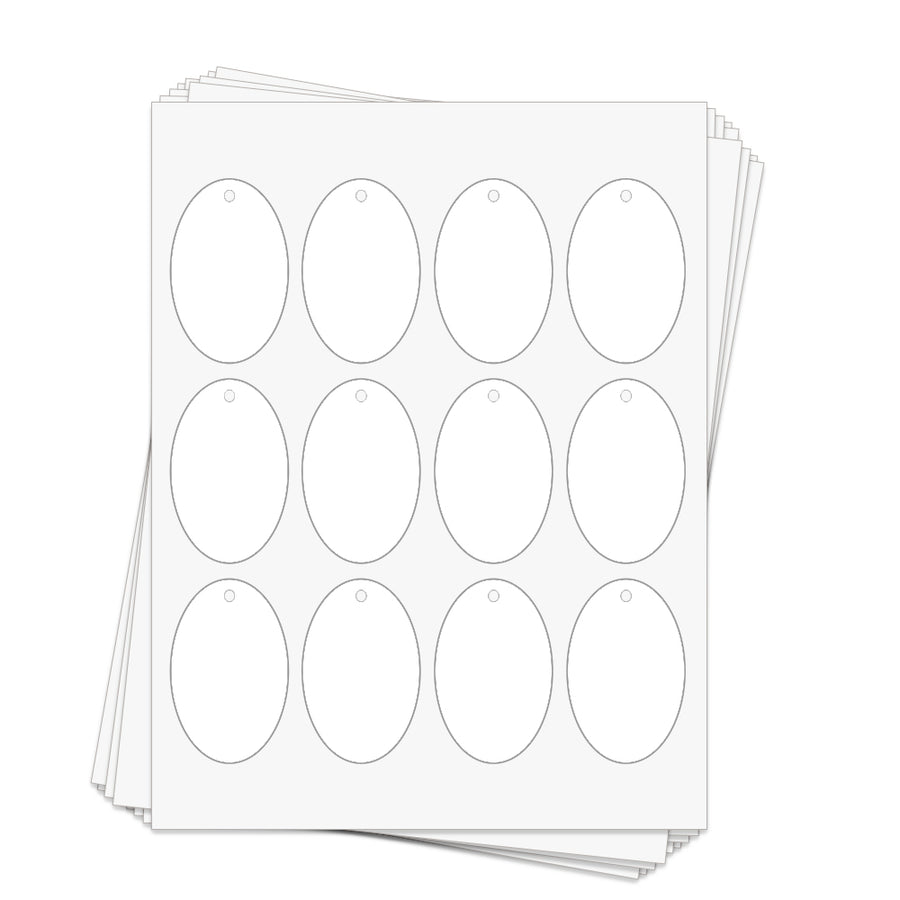
Template #HT 1202 · 1.75 x 2.75 in. · 12 per sheet
Oval Hang Tags Template
Free templates sized exactly to this sheet. Design in Canva or download for Word, Pages or PDF, print at home, peel and apply.
Step 1
Choose how you'll design
Canva - blank sheet
Best for: designing from scratch with full control.
The sheet with label outlines only. Add text and images inside each outline, delete the outline layer, then print.
Open in CanvaNew to Canva? Read the Canva guide
Or download for Word, Pages and PDF 5 files
- Word.docx - Microsoft Word
- Word.doc - Microsoft Word
- Word.docx - Microsoft Word
- JPG.jpg - place in any design app
- PDF.pdf - print or trace in any app

Using Word? Read the Word guide· Google Docs? Read the Google Docs guide
Step 2
Print it right the first time
| Sheet size | 8.5 x 11 in. |
|---|---|
| Tag size | 1.75 x 2.75 in. |
| Tags per sheet | 12 |
| Top & bottom margin | 1.185 in. |
| Left & right margin | 0.45 in. |
| Horizontal spacing | 0.2 in. |
| Vertical spacing | 0.19 in. |
- Print one test page on plain paper first and hold it against a hang tag sheet to the light to check alignment.
- Set your printer to the highest quality setting and choose a heavy paper or cardstock setting.
- Feed one sheet at a time, using the rear or manual feed tray if your printer has one.
- Let inkjet prints dry for 10-15 minutes before popping the tags out.
Step 3 - optional
Start from a free design
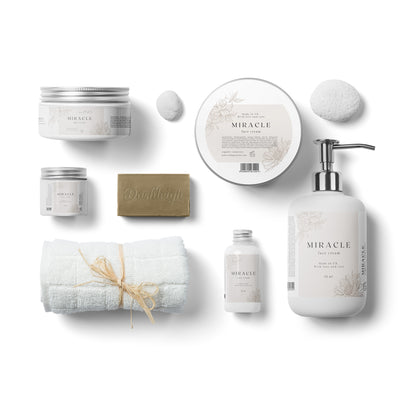 Beige Floral Cosmetic DesignCustomize in Canva
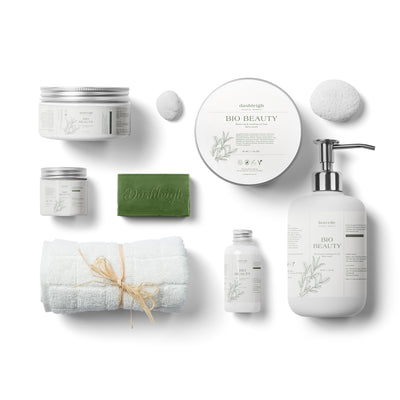 Beige & Green Cosmetic DesignsCustomize in Canva
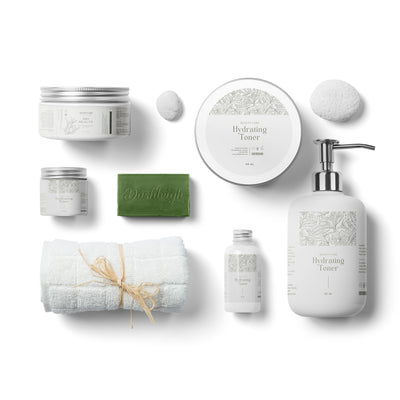 Beige Neutral DesignCustomize in Canva
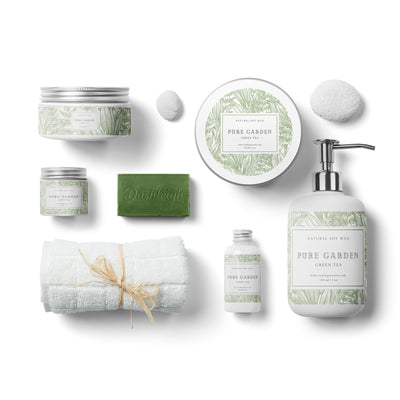 Green Botanical DesignCustomize in Canva
 Light Floral Design FamilyCustomize in Canva
 Light Minimal DesignCustomize in Canva
 Minimal Elegant Design FamilyCustomize in Canva
 Pastel Green Design FamilyCustomize in Canva
 Roses Design FamilyCustomize in Canva
Save this template for later
Leave your email and we'll send you the links to this template, plus new designs as they're added.
Still stuck?
Send us your template number and a screenshot, and we'll help you sort it out. customerservice@dashleigh.com