The short answer
A photo needs about 300 pixels per inch at the size it prints: a photo 2 in. wide on the label should be at least 600 pixels wide. Use the original photo, not one saved from social media, download from Canva as a PDF with the Print preset, and print on white labels at your best quality.
Photos look great on a screen because screens are forgiving. Printed at label size, a small or compressed photo turns soft or blocky. Here's how to avoid that.
How big the photo needs to be
- Target: 300 pixels per inch at print size.
- Acceptable: 200 pixels per inch for backgrounds and soft images.
- Quick check: multiply the print width in inches by 300. A full 4 x 5 in. wine label background needs about 1200 x 1500 pixels.
Phone photos are usually large enough. Pictures saved from websites, messages or social media are often shrunk and too small.
Photos from Canva
Canva's library photos are high resolution and safe to use on labels. With the Free filter on, you'll only see free ones; see how to use Canva for free.
Placing photos on a label
- Frames: drag a frame from Elements > Frames into the label, then drop the photo in it. It crops to the frame's shape.
- Edge-to-edge photos: extend the photo 1/16 in. past the outline; see bleed and the safe margin.
- Text over photos: pick a calm area of the photo, or add a semi-transparent shape behind the text so it stays readable.
Which labels suit photos
- Best: white labels, especially waterproof white vinyl, which gives bright, saturated color.
- Muted: uncoated white paper prints softer and slightly lighter.
- Avoid: kraft, pastel and clear. Photos turn dark or muddy; see designing for clear, kraft and colored labels.
Printing
- Download as a PDF with the Print preset.
- Set your printer to its highest quality and the right paper type (Labels or Glossy for vinyl).
- Let inkjet prints dry 10-15 minutes; photos lay down a lot of ink.
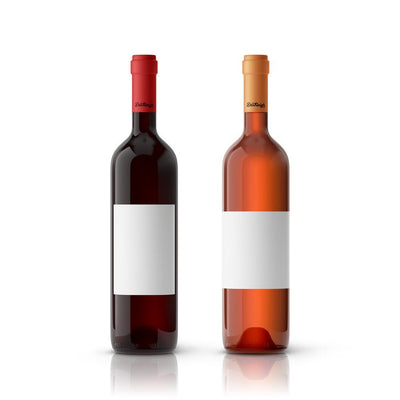
Photo-heavy designs suit large labels such as 4 x 5 in. wine bottle labels in waterproof white vinyl, and 5.3 x 5.25 in. candy bar wrappers for party favors with a family photo.
Still stuck? Email customerservice@dashleigh.com with your template number and a screenshot, and we will help.